部落格與相本的結合運用。透過部落格分享你的照片集,省去傳送大量照片的缺點,自由書寫照片中的故事。
Create a slide show of your album. Embed the album in your blog.
Hint: 挪威奧斯陸之行
album
2011年5月7日 星期六

Lab 29 Mash-up 2 (Maps)
真實案例
96年度全人關懷獎 -崔媽媽科技服務工作團隊
For housing services, compare the following two websites
http://www.housingmaps.com
http://yungching.housefun.com.tw/
List the differences in the user interface design and usability. Make comments
by your use experiences.
比較: 美感,直覺性,流暢,預期反應
我個人是沒有在使用的經驗不過也許以後有機會~~
美感的話我覺得永慶看起來比較舒服
直覺性應該是housemap比較有吧想要看哪裡就點哪個區域
流暢度的話應該是永慶吧畢竟台灣人做得網頁我比較適應
預期反應的話我就比較不清楚了
Lab 28 Mash-up 1 (Publish)
1. Upload a sample ppt to Google Docs.
2. Publish the uploaded ppt.
3. Embed the online ppt to your blog.
The reason to do so is that the readers don't have to have ppt to view your presentation. For example, some users work with Linux or Unix, and others work with MacOS. They will appreciate you for doing so.
範例:
如何活用 Gmail 工作坊
2. Publish the uploaded ppt.
3. Embed the online ppt to your blog.
The reason to do so is that the readers don't have to have ppt to view your presentation. For example, some users work with Linux or Unix, and others work with MacOS. They will appreciate you for doing so.
範例:
如何活用 Gmail 工作坊


2011年4月25日 星期一
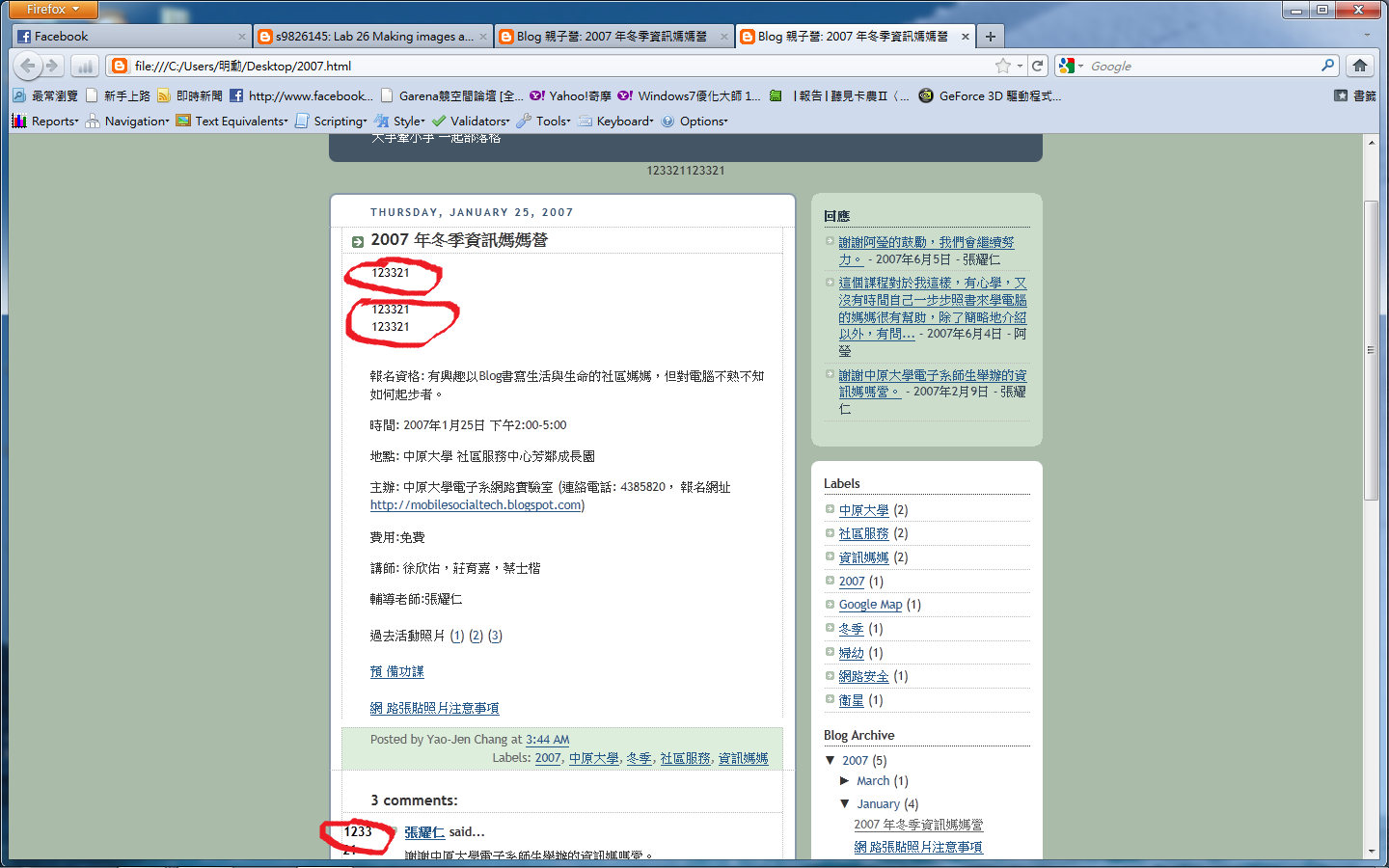
Lab 26 Making images accessible
1. Study what an ALT tag is.
2. Use KompoZer to edit the following homepage
at http://bloggercamp.blogspot.com/2007/01/2007.html
You can copy and paste the content to your KompoZer.
3. Save your editings and preview your webpage using Firefox
4. Make the webpage accessible by
adding ALT text to the images.
5. Go to the Firefox Add-ons site for Firefox Accessibility Extension
6. Click the "Install now" button on the add-ons website
7. Check whether you can see the ALT text for the images by selecting the "Show Text Equivalent" function.

Lab 25 Firefox Accessibility Extension
Use Firefox Accessibility Extension to check the accessibility of three sites that you visit most.
Report the summary of all the errors and warnings for each site.
Reference:
http://dia.z6i.org/ (中文) 在 30 天內打造更具親和力的網站


Report the summary of all the errors and warnings for each site.
Reference:
http://dia.z6i.org/ (中文) 在 30 天內打造更具親和力的網站


Lab 24 Making web pages accessible
1. Use Firefox Accessibility Extension to identify the accessibility failures and warnings in http://google.com
2. Fix the failures you found.
Reference:
http://dia.z6i.org/ (中文) 在 30 天內打造更具親和力的網站

2. Fix the failures you found.
Reference:
http://dia.z6i.org/ (中文) 在 30 天內打造更具親和力的網站

訂閱:
文章 (Atom)